

Broken Link Checker
Scan smarter. Fix faster.
Get the extension
What Broken Link Checker does
Broken Link Checker – Find Broken Links
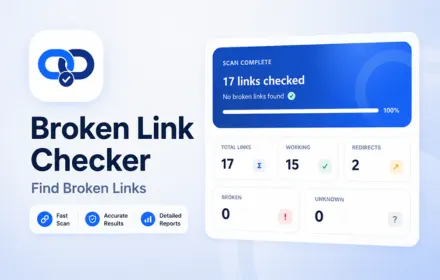
Broken Link Checker helps you quickly scan the current webpage and identify broken links, 404 errors, redirects, working URLs and unreachable links.
Instead of checking every link manually, start a scan and let the extension inspect links on the current page automatically. Results are organized by status so you can quickly find problematic URLs and review working or redirected links.
Key Features
- Scan links on the current webpage
- Find broken links and 404 errors
- Detect working links
- Detect redirected URLs
- Identify unreachable or unknown links
- View HTTP status codes
- See response time for each URL
- Filter results by link status
- Run scans in the background
- Cancel an active background scan
- Preserve already checked results when cancelling
- Save completed reports locally
- Organize saved reports by domain
- Export current scan results to CSV
- Export reports from selected domains
- Combine multiple saved reports into one CSV
- Local and privacy-focused storage
Find Broken Links on Any Webpage
Use Broken Link Checker to scan the links available on the current webpage and quickly identify URLs that may no longer work.
The extension checks each discovered link and organizes the results into clear categories:
- Working
- Redirects
- Broken
- Unknown
This makes it easier to review website links without opening every URL manually.
Detect 404 Errors and Broken URLs
Broken pages can create a poor user experience and make website maintenance more difficult.
The built-in broken URL checker helps identify HTTP errors and other failed responses, making it useful for checking webpages, blog posts, landing pages and other sites containing multiple links.
Website Broken Link Checker
Start a scan directly from the webpage you are viewing.
The extension collects unique HTTP and HTTPS links from the current page and checks their status in the background.
You can see:
- Total links
- Working links
- Redirects
- Broken links
- Unknown links
Filter Scan Results
Quickly focus on the links that matter.
Use the result filters to display:
- All Links
- Broken Links
- Redirects
- Working Links
Each result includes its status, URL and response time.
Background Link Scanning
Link scans run as background jobs.
After the URL list has been collected, closing the extension popup does not automatically remove the active scan. Reopen the extension to view the latest progress and available results.
You can also cancel an active scan while keeping the links that have already been checked.
Save Reports by Domain
Completed scans can be saved locally and organized by website domain.
This allows you to build a local library of previous broken link reports and return to them later without mixing reports from different websites.
Export Broken Link Reports
Export scan results to CSV for further review or website maintenance.
You can export:
- Current scan results
- Reports from one saved domain
- Reports from multiple selected domains
- All selected reports as one combined CSV
Exported reports can include link status, category, URL, final URL and response time.
Local & Private
Broken Link Checker stores saved reports locally in your browser.
Scan history is not sent to an external analytics or report-storage service.
Useful for
- Website owners
- SEO professionals
- Developers
- Bloggers
- Content managers
- QA testers
- Website maintenance
- Link auditing
Whether you need a broken link checker, website broken link checker, broken URL checker, broken link finder or 404 broken link checker, this extension provides a simple way to scan links and identify problematic URLs directly from your browser.
Up and running in minutes.
Install
Add the extension to your browser in one click.
Pin it
Pin it to your toolbar for quick access.
Use it
Open the tool on any supported page and go.
Done
Get your results, export or save locally.
COMMUNITY REVIEWS
What users are saying.
0 published reviews
Be the first to review
Share how this extension helps your workflow.
LEAVE A REVIEW
Share your experience.
Sign in to your Nextools account to leave a review.
Sign in to reviewSimilar extensions
Chat Translator Unlimited
Remove the daily limit and translate unlimited chat messages on every site, in 1...
View details →
AD Block Master
Block intrusive ads, trackers, pop-ups and distractions with a fast, private, 10...
View details →
Allow Copy +
Restore text selection, copying and right-click on websites that block them — pr...
View details →
Tab Auto Refresh
Automatically refresh any tab on your schedule with quick presets, visual countd...
View details →Ready to use Broken Link Checker?
Scan smarter. Fix faster.
