
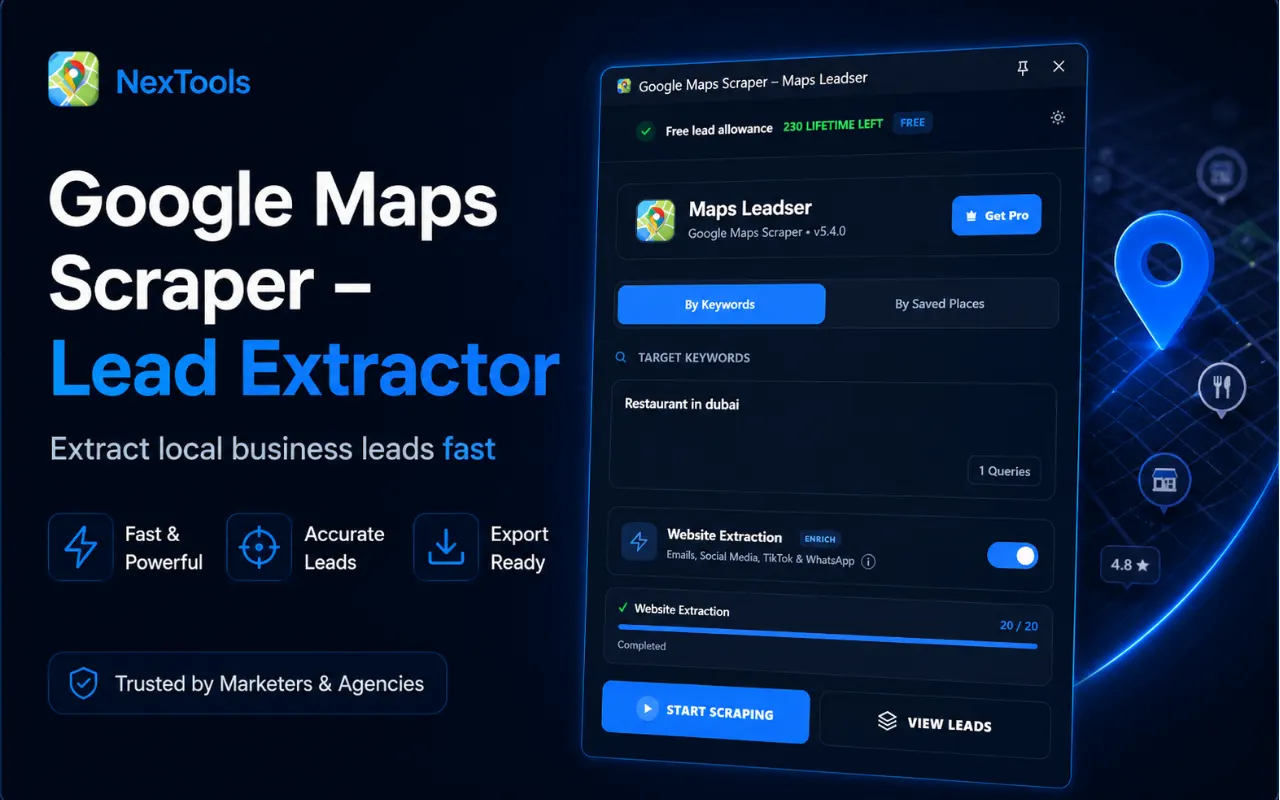
Google Maps Scraper
Discover places. Build better leads.
7 days free with Google Maps Scraper
No purchase required. Your first trial activates instantly after you sign in.
Get the extension
What Google Maps Scraper does
Google Maps Scraper – Lead Extractor
Google Maps Scraper helps you extract publicly available business information from Google Maps search results and turn it into organized lead lists.
Search for a business category and location on Google Maps, start the scraper, and collect available business details automatically. You can also enrich business websites to discover additional public contact information such as email addresses and social media profiles.
Key Features
- Extract business data from Google Maps
- Collect business names
- Extract phone numbers
- Collect website URLs
- Extract full business addresses
- Collect business categories
- Extract ratings and review counts
- Collect available business hours
- Capture latitude and longitude
- Website enrichment
- Find public email addresses
- Find public phone numbers from websites
- Discover social media profiles
- Detect Facebook profiles
- Detect LinkedIn profiles
- Detect Instagram profiles
- Detect X / Twitter profiles
- Detect YouTube profiles
- Detect TikTok profiles
- Detect WhatsApp links
- Duplicate lead filtering
- Save leads locally
- Manage collected business leads
- Export organized lead data
- CSV export
- Excel / XLSX export
- Free lead allowance
- Optional unlimited lead access
Extract Business Data from Google Maps
Use Google Maps Scraper to turn map search results into structured business information.
Instead of opening listings and copying business details manually, the extension collects available information and organizes it into a convenient lead workspace.
Collect Business Information
Depending on the information publicly available for each business, the Google Maps data scraper can collect:
- Business Name
- Category
- Address
- Phone Number
- Website
- Domain
- Rating
- Review Count
- Business Hours
- Latitude
- Longitude
Website Enrichment
When a business has a public website, website enrichment can search available pages for additional contact information.
Available data may include:
- Email Addresses
- Phone Numbers
- X / Twitter
- YouTube
- TikTok
- Other Public Social Links
Google Maps Lead Generation
Build organized business lead lists directly from Google Maps searches.
Search by industry, service or location and collect relevant business information for research, prospecting and lead-generation workflows.
Manage Your Leads
Collected business records are organized inside the extension so you can review and manage your results before exporting.
Duplicate detection helps reduce repeated business records while collecting larger lead lists.
Export Business Leads
Export collected Google Maps data for use in spreadsheets, CRM workflows or business research.
Available export formats include:
- CSV
- XLSX / Excel
Simple Workflow
- Open Google Maps.
- Search for a business category and location.
- Open the extension.
- Start collecting business results.
- Review your extracted leads.
- Enable website enrichment when needed.
- Export your business data.
Public Business Data
Google Maps Scraper works with business information publicly available through Google Maps and public business websites.
The availability of individual fields depends on the information provided by each business and the current page structure.
Users are responsible for using collected information according to applicable website terms, privacy requirements and laws.
Whether you need a Google Maps scraper, Google map scraper, maps scraper, Google Maps data scraper or Google Maps lead extractor, this extension provides an efficient workflow for collecting and exporting public business information.
Up and running in minutes.
Install
Add the extension to your browser in one click.
Activate
Paste your license key from the dashboard.
Use it
Open the tool on any supported page and go.
Done
Get your results, export or save locally.
COMMUNITY REVIEWS
What users are saying.
0 published reviews
Be the first to review
Share how this extension helps your workflow.
LEAVE A REVIEW
Share your experience.
Sign in to your Nextools account to leave a review.
Sign in to reviewSimilar extensions
Chat Translator Unlimited
Remove the daily limit and translate unlimited chat messages on every site, in 1...
View details →
AD Block Master
Block intrusive ads, trackers, pop-ups and distractions with a fast, private, 10...
View details →
Allow Copy +
Restore text selection, copying and right-click on websites that block them — pr...
View details →
Tab Auto Refresh
Automatically refresh any tab on your schedule with quick presets, visual countd...
View details →